AI Minecraft Skin Merger

Upload two character images, combine their features in an AI preview, then turn the approved design into a downloadable Minecraft skin.

Preview: 1 credit. Convert an approved preview: 2 more credits. Sign-in required.
Minecraft skin generatorYour creations stay private
Drop an image or click to uploadPNG, JPG or WEBP · Up to 10 MB
124/450

Preview: 1 credit · Convert to skin: 2 credits

Character preview
Your skin will appear here

Start a generation to preview your character here.

Real playable Minecraft skin · 64×64 PNGJAVA + BEDROCK

AI Minecraft Skin Merger examples

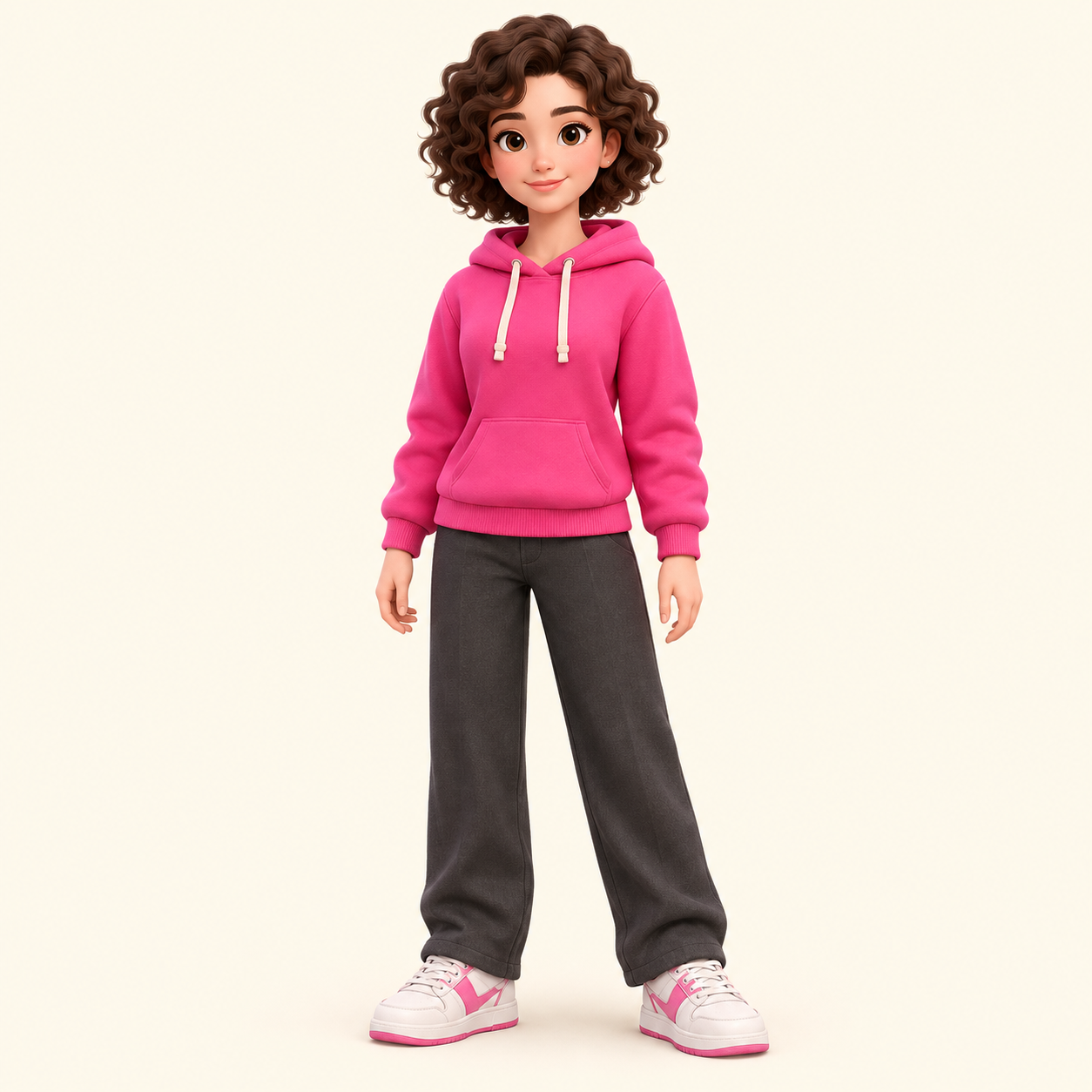
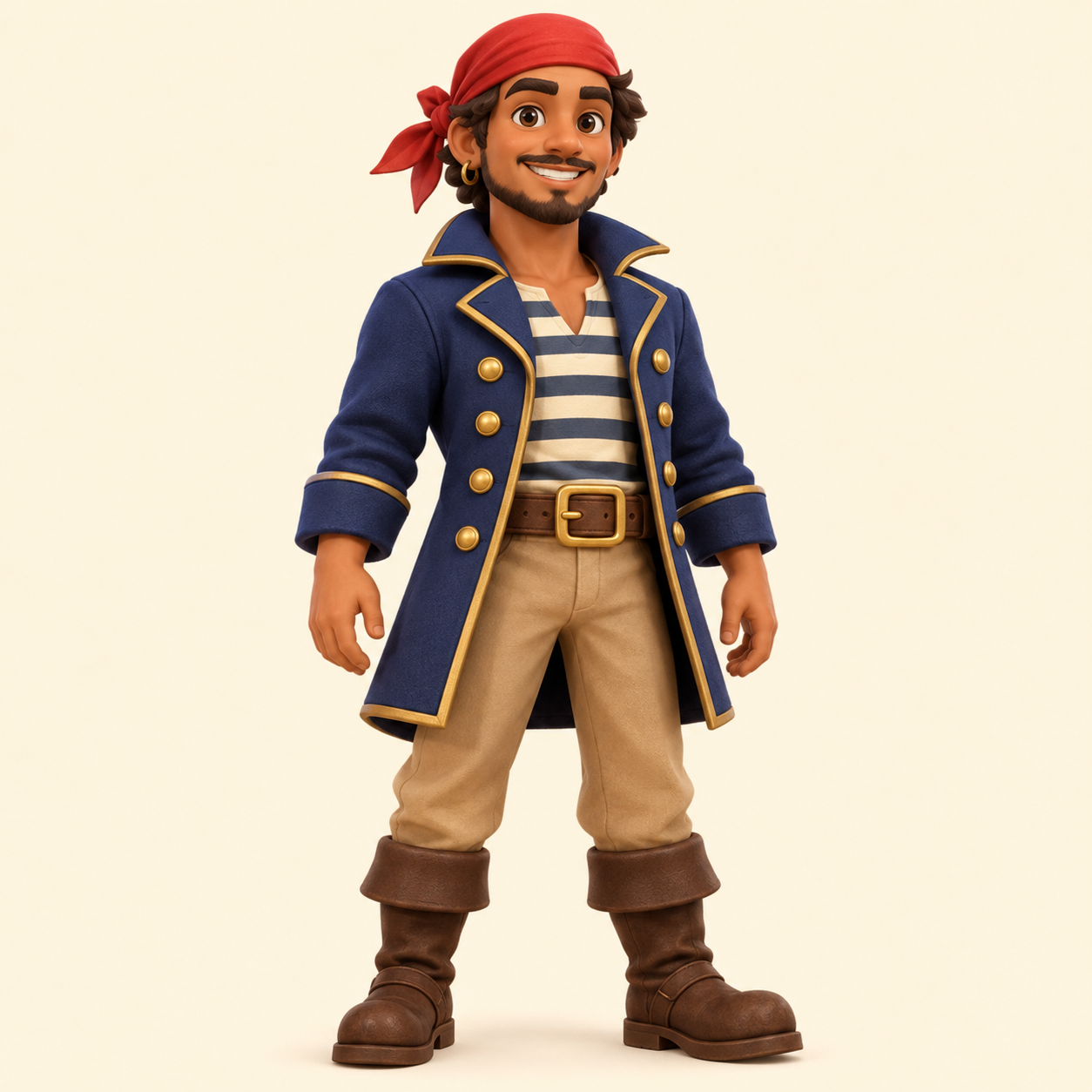
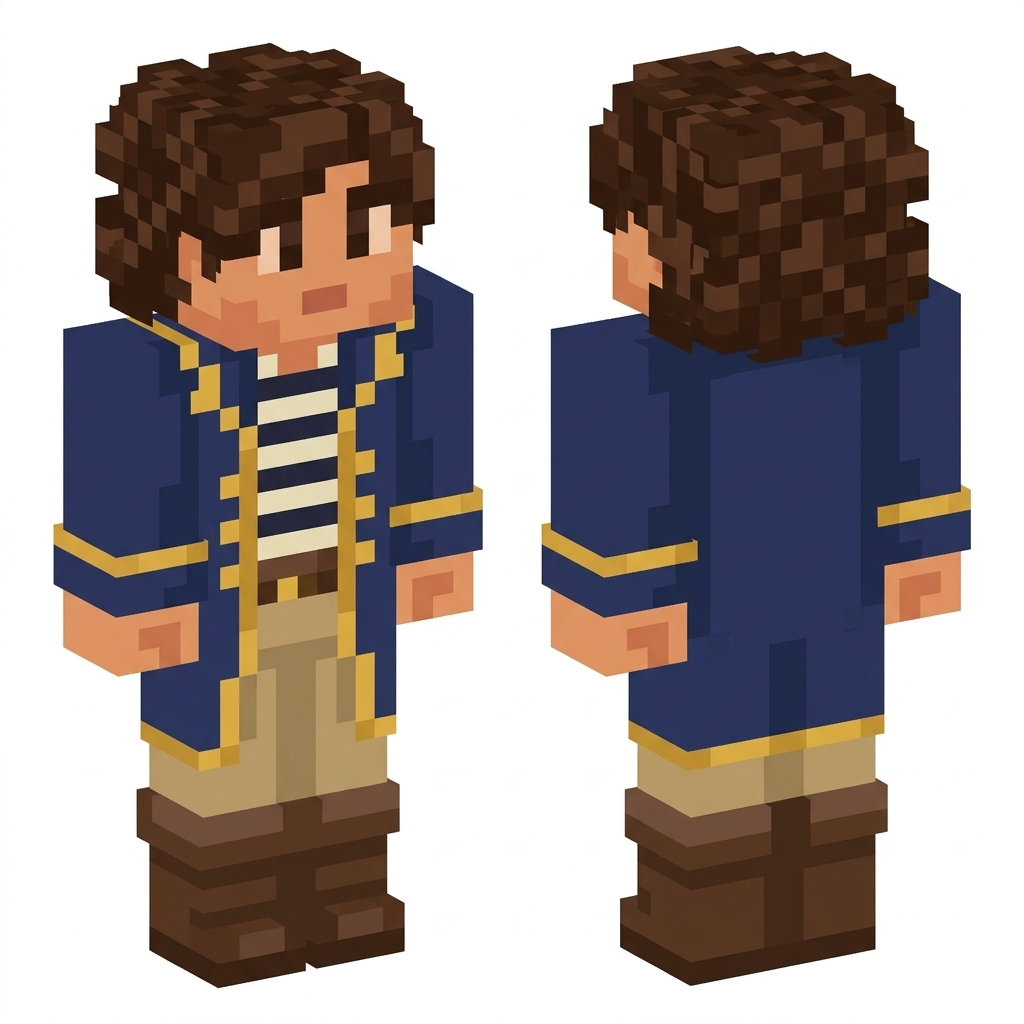
Real two-image result: the first fictional character supplies the face and brown curls; the second supplies the navy-and-gold coat, tan trousers and brown boots. The middle image is the generated preview; the 3D model uses the converted 64×64 PNG.

Image 1 · face and hair reference
Image 2 · outfit and color reference
Combined front and back character preview, using image one face and image two pirate outfit
Your character preview

Examples use fictional, AI-created references. They are not customer photos or account imports.

AI Minecraft Skin Merger

The AI Minecraft Skin Merger combines two visual references into one new character. Upload two images and explain which features to take from each one. By default, the first image guides the face and hairstyle, while the second suggests the outfit and colors. The AI creates a combined character preview first. Review that preview before you confirm the final Minecraft skin conversion. This skin combiner is intended for creative redesign, rather than exact copying of selected pixels between two existing texture files.

How to use AI Minecraft Skin Merger

  1. Upload both reference images

    Choose two PNG, JPG or WebP images, each up to 10 MB. You can combine character drawings, portraits, avatars or other visual references that you have permission to edit. Make the important features visible in each source. For a straightforward first attempt, use one clear character for the head and hair, and another clear outfit reference for the clothing.

  2. Explain the combination and review it

    Describe the intended roles of the first and second images. For example, keep the hair and glasses from image one and use the jacket and boots from image two. Generate the combined preview and inspect its front and back. If the result gives too much weight to one reference, refine the instructions before you spend credits converting that preview into a skin.

  3. Confirm and export the skin

    When the combined character looks right, choose the conversion action. The result is a 64×64 Classic Minecraft skin texture with a rotatable 3D preview. Inspect the face and clothing boundaries, then download the PNG. You can open that file in the free skin editor to correct individual pixels, while keeping the generated preview and the playable texture as separate files.

Getting better results with AI Minecraft Skin Merger

Two images create one coherent character

The AI Minecraft Skin Merger treats both uploads as appearance references. It is useful when you like the hairstyle from one design and the outfit from another, or when an avatar needs a new color palette inspired by a second character. Clear assignments help the model avoid combining incompatible details at random. The default role of image one is the primary face and hair reference; image two supplies clothing and accessories. You can change those roles in the instructions. The output should be one character shown from two views, not two different characters standing next to each other.

Understand what an AI skin combiner preserves

This workflow redraws a design through AI, so it may simplify patterns, reinterpret small features or change details that conflict across the two sources. It does not promise a pixel-for-pixel head transplant, unchanged sleeve coordinates or exact preservation of every skin layer. If you already have a finished texture and need a tiny, exact change, use the manual skin editor. If you want to change the resolution, old skin layout or Classic/Slim model without generating a new design, use the free texture converter. These are different tasks with different expectations about which original pixels should survive.

Review the preview before producing the texture

Combining references introduces choices about face, skin tone, hair length, clothing layers and color contrast. The preview stage makes those choices visible before conversion. Check whether both views use the same outfit and whether the face remains readable on a block-shaped head. Accessories must fit the fixed Classic player geometry and may become flat texture details. A successful preview uses 1 credit, and converting it uses another 2; a different preview is a separate generation. Download the final skin PNG rather than the preview if your next step is importing the character into Minecraft.

AI Minecraft Skin Merger questions

What can I upload to the Minecraft skin merger?

Upload two ordinary images in PNG, JPG or WebP format, up to 10 MB each. Character images, outfit references and avatars are useful starting points. Provide clear instructions about which features to use from each source. Existing skin images can serve as visual inspiration, but this AI merger is not a deterministic texture-layer or body-part copying tool.

Can I choose which image supplies the head or clothing?

Yes. Write that assignment in the instructions before generating. The default suggestion is face and hair from the first image, clothing and colors from the second. You can request a different combination, but the AI may simplify conflicting details or small patterns. Review the combined preview and only confirm conversion when its main features match the design you want.

How much does generation cost?

Sign in to use AI generation. Creating a character preview costs 1 credit. Review that image before you choose to spend another 2 credits converting it into a downloadable skin. A new preview is a new generation. You can inspect examples without paying. New accounts currently receive 3 welcome credits. All credits, including welcome credits, purchases and refunds, never expire.

What kind of Minecraft skin do I download?

The final download is a Classic-model 64×64 PNG skin texture. It is an unfolded layout containing the surfaces of the head, body, arms and legs, rather than the large character preview. Use the file in Minecraft Java or a Bedrock device that supports custom skin import. You can also open it in the free editor to adjust individual pixels before importing it into your game.

What happens to my uploaded images?

Reference images are sent to the image-generation provider to complete your request. Generated previews and skins are associated with your account, and private result downloads require your session. This is a hosted AI service, rather than an offline converter. Use references that you have permission to edit and read the privacy policy for the processing details. Do not assume an upload is deleted immediately.

What if generation fails or the result needs changes?

A failed generation returns the credits reserved for that failed stage. A successful preview is still a completed image-generation step, even if you decide its appearance needs another attempt. Review the face, outfit and body proportions before confirming conversion. For a small defect in an otherwise useful skin, download it and make a precise correction in the free skin editor instead of regenerating everything.

Tools

Related skin tools